The Library
Orbit
MembersBuild-verifiedClaude Opus 4.8This prompt was scaffolded from scratch by Claude Opus 4.8 into a compiling, running app — verified, not just a screenshot.Vite + React + TypeScriptStage 3D scenes right in the browser.
web3dwebglsaasdesign-toolsscene-buildereditorspatialno-codecreativeasset-librarylanding-pagestudiointeractivelight
How the prompts work
Preview
▒ best build path
Motion-heavy interface
Use first
Cursor
Claude Code
Codex
Also works
v0
Bolt
Ask for the design system first, then implement motion one screen at a time. Paste the full Library prompt first, then compare the result against the live demo.
01Landingv1
orbit.app/landing
↳ 1440 × 900 · Desktop
02Studio
orbit.app/studio
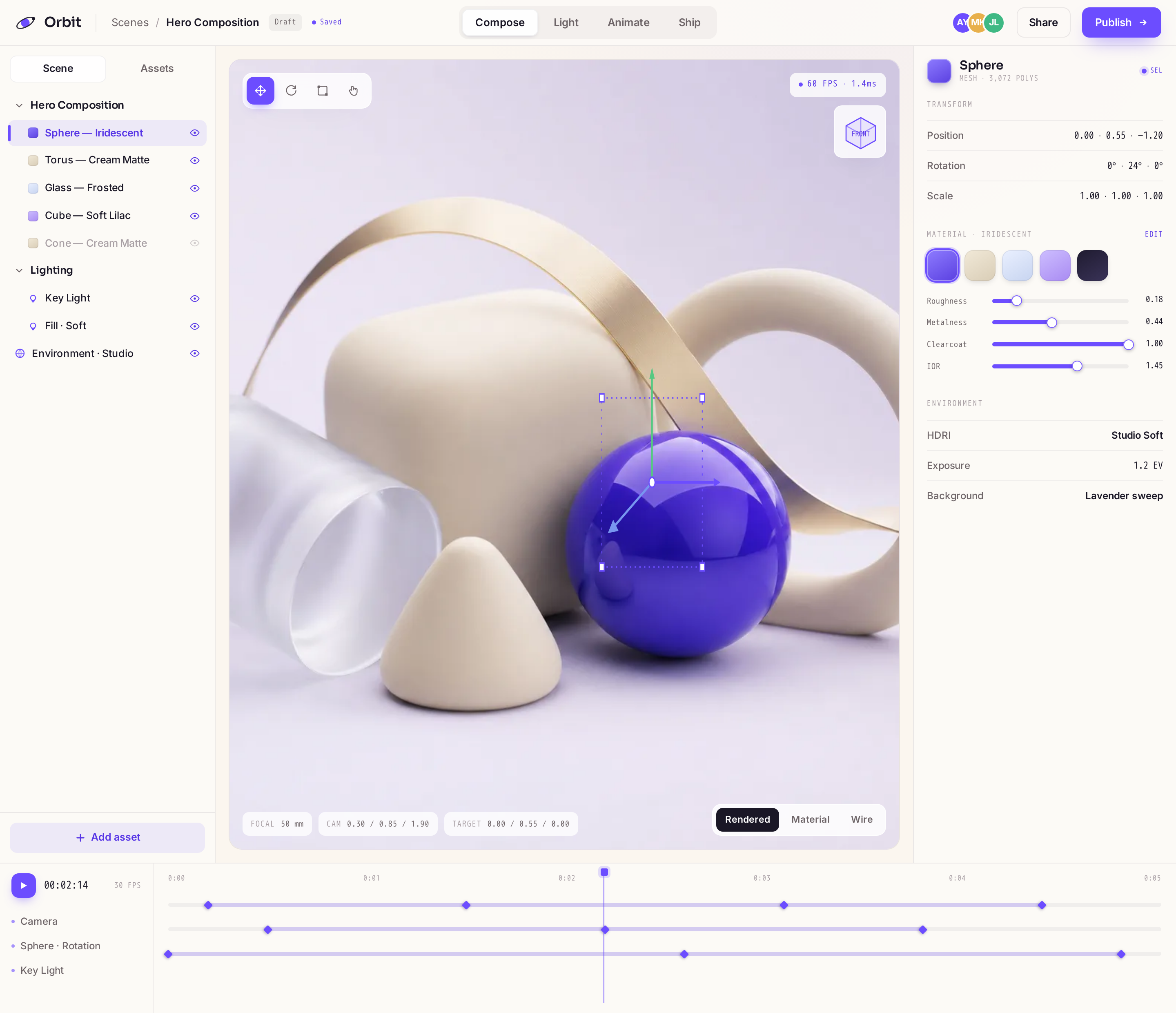
Members only
↳ 1440 × 900 · Desktop
03Asset
orbit.app/asset
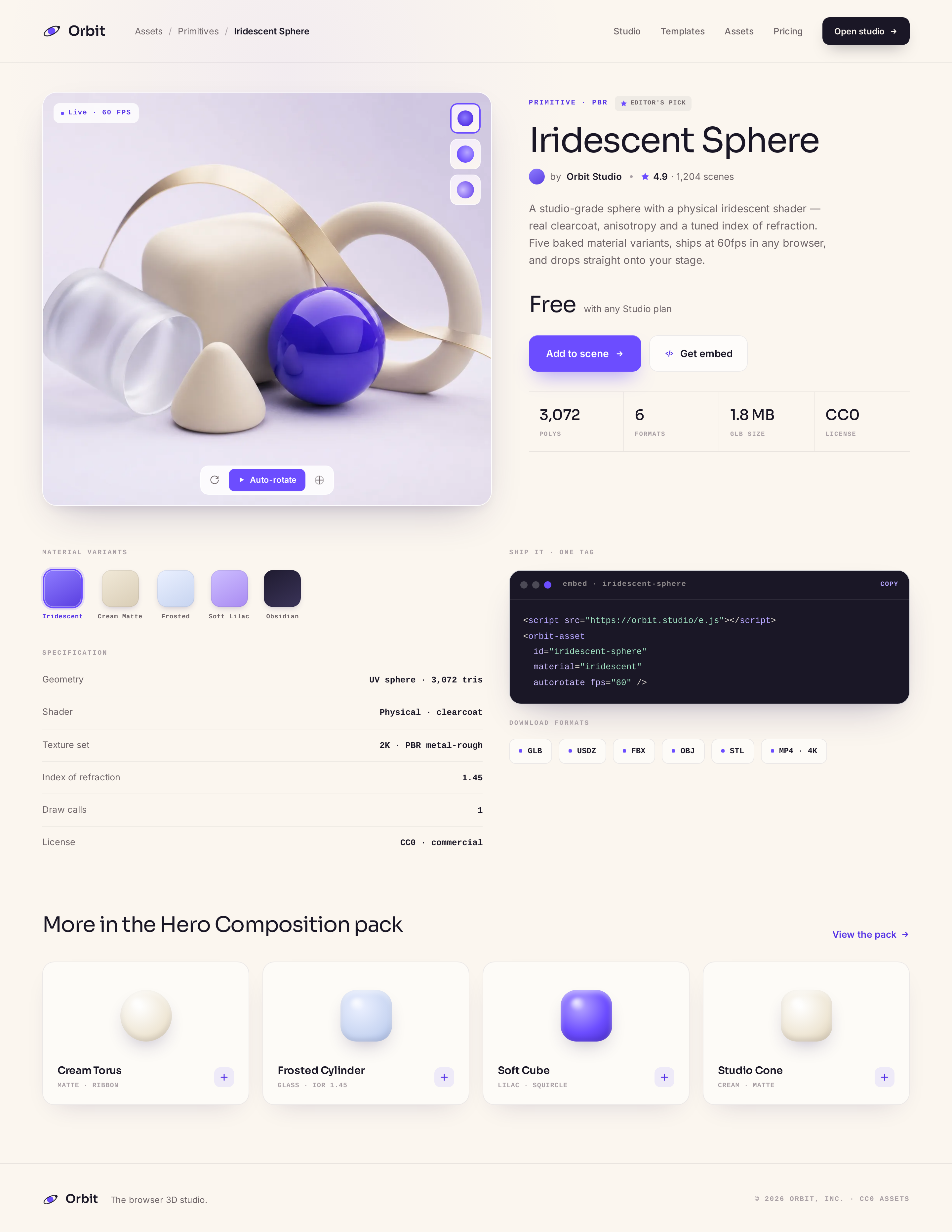
Members only
↳ 1440 × 900 · Desktop
▒ design recipe — Orbit
Fonts
SoraInterJetBrains Mono
Palette
--background--foreground--card--muted-foreground--accent--border
Motion
spatial-float
Screens
4 screens included
Portable prompt
# Orbit
Implement the screens below using the design system tokens...
## DESIGN SYSTEM
- Name: Orbit
Unlock the recipe that rebuilds this design
Get the live design, exact tokens, assets, per-screen prompts, and one full prompt for Lovable, Bolt, Cursor, v0, Replit, Claude Code, Codex, or v-1.
One payment · founding price from $49 · no subscription
▒ design handoff
What do you get with the Orbit design?
The Orbit 3d design ships as a finished visual system plus the exact AI-builder prompt to rebuild it. You get the design direction, screen set, assets and prompt for Claude Code, Cursor, Bolt.new, Windsurf, Replit Agent, v0; v-1.design does not export Figma and does not host the final app.
| Category | 3d |
|---|---|
| Surfaces | web |
| Screens | Landing, Studio, Asset |
| Tools supported | Claude Code, Cursor, Bolt.new, Windsurf, Replit Agent, v0 |
| Price | Included with Lifetime — from $49 once |
| License | Single-use build prompt + assets, not Figma |
How to rebuild this in Lovable, Bolt, Cursor or Claude Code
- Open the Orbit design and copy the full build prompt.
- Paste it into your AI builder or coding agent (Lovable, Bolt, v0, Cursor, Claude Code or Codex).
- Generate the design system and core screens from the prompt.
- Edit the copy, data and routing to fit your product.
- Wire it to your backend, or hand the prompt to a developer.
Orbit FAQ
- Does this include source code or a prompt?
- You get the exact AI-builder prompt plus the design system and assets, not a code repo. Your AI builder or developer generates the code from the prompt.
- Which AI builders does the Orbit prompt work in?
- It is written for Lovable, Bolt, v0, Cursor, Claude Code and Codex, and pastes into any coding agent or hands to a developer.
- Is this a Figma file?
- No. v-1.design does not export Figma. You get a finished design plus the prompt and assets to rebuild it.
- What screens are included?
- The Orbit package includes Landing, Studio, Asset across web.